
Verdict & Pricing Snapshot
| Plan | Price | Credits/mo | What it buys (approx.) |
|---|---|---|---|
| Free | $0 | 0 credits | Image models only, watermarked, no commercial use |
| Starter | $19/mo (no annual discount) | 270 | About 15 Seedance 2.0 Fast videos, per Higgsfield’s own plan cards |
| Plus | $59/mo monthly; $47/mo annual | 1,200 | About 80 Seedance 2.5 videos, per Higgsfield’s own plan cards |
| Ultra | $129/mo monthly; $99/mo annual | 3,000 | About 200 Seedance 2.5 videos, per Higgsfield’s own plan cards |
| Who should skip | Anyone who needs flagship models on the cheapest plan, or who expects unused credits to roll over |
The short answer: a 10-second video on Higgsfield costs anywhere from about 14 credits to about 100 credits, depending on the model — and that range is the whole pricing story. A 10-second Kling 3.0 clip at 720p burns about 14 to 15 credits. A 10-second Seedance 2.5 clip at 720p burns about 70 credits. A 10-second Veo 3.1 clip burns roughly 73 to 100 credits. So Starter’s 270 credits buy about nineteen 10-second Kling 3.0 clips, or fewer than four 10-second Seedance 2.5 clips. If you do not know which model you will use, you do not know what Higgsfield costs. Check the official site before you pay — Higgsfield repriced in late October 2026, and the figures here are the November 2026 prices.
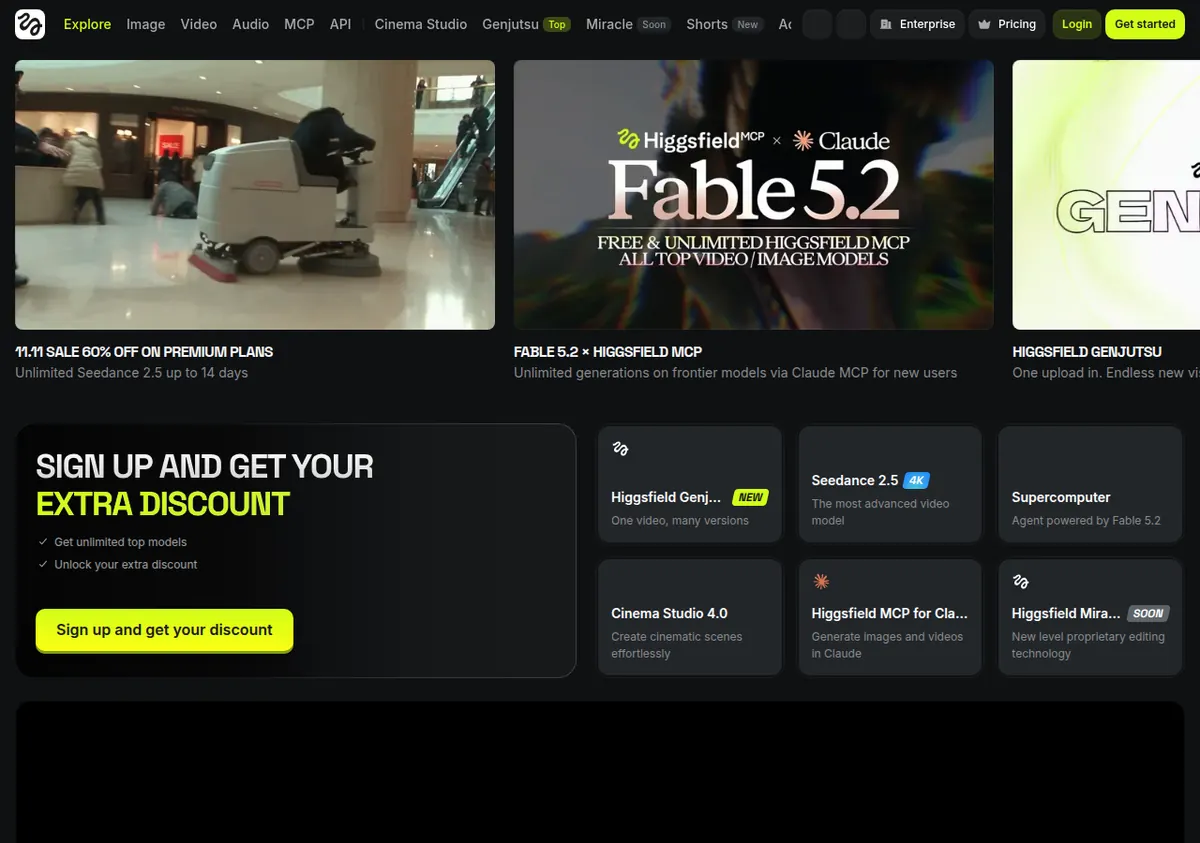
Pricing, plan by plan
| Plan | Monthly | Annual (per month) | Key limits |
|---|---|---|---|
| Free | $0 | $0 | 0 credits; limited use; 1 concurrent job; watermark on every generation; no commercial use; image models only (no video) |
| Starter | $19/mo | $19/mo (no annual discount) | 270 credits/mo; selected models only (Seedance 2.0 Fast and Mini, Kling 3.0 at 720p only, Wan, Grok Video, Nano Banana 2); 2 parallel video jobs, 4 images; commercial use included; watermark-free |
| Plus | $59/mo | $47/mo | 1,200 credits/mo; all models (including Seedance 2.5 at 1080p, Veo 3.1, Kling 3.0 at 1080p/4K with Motion Control); 6 parallel video jobs; 7-day Unlimited on selected models (web only) |
| Ultra | $129/mo | $99/mo | 3,000 credits/mo (larger 6,000- and 9,000-credit sizes available at higher prices, up to about $375 a month reported); all models; 8 parallel video jobs; 7-day Unlimited including Nano Banana Pro |
There is a price-change flag you should know about before you trust any Higgsfield price you saw quoted a month ago. Sources checked from September to 27 October 2026 list Starter at $15 a month with 200 credits and Plus at $39 to $49 a month with 1,000 credits. Sources checked from 28 October to 9 November 2026 list $19 for 270 credits, $59 or $47 for 1,200 credits, and $129 or $99 for 3,000 credits. The November figures are used here as current, because they come from the latest sources, including Higgsfield’s own pricing guide checked 6 November 2026. But the change itself is the warning: Higgsfield reprices fast, and a price quoted in an older review may already be wrong. Higgsfield’s official pricing page rendered almost empty when opened on 2026-11-13 — it is JavaScript-heavy and could not be read as a source in that pass — so the figures here rest on Higgsfield’s own pricing guide and multiple independent November 2026 reviews that state they read the vendor page. Verify on the official pricing page before you pay.
The annual discount is 20 percent on Plus and Ultra only. Starter has no annual discount: $19 a month either way. That is unusual — most tools discount every paid plan annually — and it means there is no financial reason to pay annually for Starter. Pay monthly, keep the flexibility, and upgrade only when you know you need the flagship models.
Free is not a usable video plan. It has 0 credits, a watermark on every generation, no commercial use, and image models only — no video at all. It lets you look at the interface. It does not let you make a video. Do not budget around Free as if it were a starter tier. It is a preview.
Team, Scale, and Enterprise per-seat prices are unverified. Third parties report Team seats from $65 a seat a month on annual billing, and Enterprise adds training exclusion and IP indemnity, but do not publish those figures without a live check. Check the official site if you need team pricing.
What a 10-second video actually costs
This is the section that matters, because Higgsfield’s credit system is opaque until you do the per-model math. All figures below are Higgsfield credits — its own credit system, not Kling’s subscription credits or Runway’s credits. Do not mix credit systems across tools. A credit on Higgsfield is not a credit on Kling, and a 10-second clip that costs 15 credits on one platform can cost 70 on another for the same length.
| Model | Resolution | Cost per 5 seconds | Cost per 10 seconds |
|---|---|---|---|
| Kling 3.0 | 720p | About 7 credits (7.5 without sound, 10 with sound on the Generate button) | About 14–15 credits |
| Seedance 2.0 Fast | 720p | About 12 credits | About 24 credits |
| Kling 4.0 via Higgsfield | 1080p | 16.25 credits | About 32.5 credits |
| Seedance 2.0 | 720p | About 22 credits | About 44 credits |
| Seedance 2.5 | 720p | About 35 credits | About 70 credits |
| Veo 3.1 | 720p | About 29–40 credits per 4 seconds | About 73–100 credits |
A few notes on how to read that table. The Seedance 2.5 figure — about 35 credits per 5 seconds, or about 70 per 10 seconds — comes from the pricing page and Generate button in November 2026, and multiple sources agree on it. It is the most reliable per-model figure here. The Kling 3.0 figure — about 7 credits per 5 seconds — comes from the Generate button on 9 November 2026, which showed 7.5 credits without sound and 10 with sound. Sound costs more. If your clips need native audio, budget the higher end. The Veo 3.1 range is wide because sources disagree: 29 to 40 credits per 4 seconds, which works out to roughly 73 to 100 credits per 10 seconds. Use about 40 credits per 4 seconds as the sourced figure and budget at the top of the range, not the bottom. The Kling 4.0 via Higgsfield figure — 16.25 credits per 5 seconds, or about 32.5 per 10 seconds at 1080p — is a Generate-button figure from 2 November 2026. It is specific to Higgsfield’s implementation, not to Kling’s own subscription.
Higgsfield’s own plan cards give a second way to sanity-check the math: 270 credits is described as about 15 Seedance 2.0 Fast videos, 1,200 credits as about 80 Seedance 2.5 videos, and 3,000 credits as about 200 Seedance 2.5 videos. Those card figures do not line up exactly with the per-second math — 80 Seedance 2.5 videos from 1,200 credits implies 15 credits per video, which is far below the 70-credit cost of a 10-second Seedance 2.5 clip — so the plan-card “videos” are almost certainly short clips, not 10-second clips, or they assume a cheaper configuration. Do not use the plan-card video counts as a promise of how many 10-second videos you get. Use the per-model table above.
How many videos does each plan actually buy?
Now translate credits into videos, using 10-second clips as the standard, because that is the length most product and social ads use.
Starter — 270 credits a month. At Kling 3.0 720p, about 14 to 15 credits per 10 seconds, Starter buys about 18 to 19 ten-second clips. At Seedance 2.0 Fast, about 24 credits per 10 seconds, it buys about 11 clips. At Seedance 2.0, about 44 credits per 10 seconds, it buys about 6 clips. Starter cannot reach Seedance 2.5 or Veo 3.1 at all — those models are not included — so the 70-credit and 73-to-100-credit costs do not apply to Starter. They apply to the plans above it. That is the key constraint: Starter is cheap, but it is cheap because it excludes the flagship models.
Plus — 1,200 credits a month. At Seedance 2.5 720p, about 70 credits per 10 seconds, Plus buys about 17 ten-second clips. At Veo 3.1, roughly 73 to 100 credits per 10 seconds, it buys about 12 to 16 clips. At Kling 3.0 720p, it buys about 80 ten-second clips. At Kling 4.0 via Higgsfield at 1080p, about 32.5 credits per 10 seconds, it buys about 36 clips. Plus is the first plan where the flagship models are available, and it is also the first plan where a creator making daily 10-second ads in Seedance 2.5 will feel the cap: 17 clips a month is about four a week, with no slack for failed generations, test renders, or revisions.
Ultra — 3,000 credits a month. At Seedance 2.5 720p, Ultra buys about 42 ten-second clips. At Veo 3.1, about 30 to 41 clips. At Kling 3.0 720p, about 200 clips. Ultra also includes larger credit sizes — 6,000 and 9,000 credits at higher prices, up to about $375 a month reported — for creators whose volume exceeds even 3,000 credits. If you are making more than one 10-second Seedance 2.5 clip a day, every day, Ultra is the plan that fits, and even Ultra will feel tight if you also test in Veo 3.1.
The practical takeaway: count your clips before you count your credits. A creator making three 10-second product ads a week in Seedance 2.5 needs about 12 clips a month, or about 840 credits — Plus fits, with a little slack. A creator making one a day needs about 30 clips a month, or about 2,100 credits — Plus does not fit, Ultra does. A creator making social ads in Kling 3.0 at 720p can live on Starter for a long time, because 270 credits buys nearly 19 clips. The model chooses the plan, not the other way around.
The credit-expiry trap
Unused subscription credits do not roll over. They reset every month — every 30 days even on annual plans. That is the main trap in Higgsfield’s pricing, and it is the same trap that catches buyers on Kling and on Runway’s Standard and Pro plans. A quiet month wastes credits. A busy month hits the cap early. There is no banking credits from a slow month to spend in a busy one.
Top-up packs are reported at around $5 for 100 credits, with an expiry of about 90 days — but both the price and the expiry are unverified, so check the official site before relying on them. Do not budget around top-ups as a cheap way to extend a plan. They are a separate purchase, and their terms are not confirmed in our research.
The “Unlimited” windows deserve the same skepticism. Plus includes 7-day Unlimited on selected models, web only. Ultra includes 7-day Unlimited including Nano Banana Pro. Seven days is not a month. The unlimited window applies to named models on the website only — not the API, CLI, or Canvas — and it lasts one week. If you buy Plus expecting unlimited video all month, you will be disappointed in week two. Treat the unlimited window as a one-week burst for a specific project, not as a standing allowance.
Other limitations to price in: prices exclude VAT and tax and vary by country, so the checkout total may be higher than the list price. The model lineup can change at any time under the Terms, so a model you buy Plus to reach could be replaced or repriced. Starter caps Kling 3.0 at 720p only — no 1080p, no 4K, no Motion Control — and it gives you 2 parallel video jobs and 4 parallel images, versus 6 parallel video jobs on Plus and 8 on Ultra. If you render in batches, the parallel-job limit matters as much as the credit limit: Starter’s 2 parallel jobs means a batch of 10 clips takes five rounds.
Katana: what we cannot verify
Higgsfield’s Katana is a Claude video-editing skill, and it is worth a short, honest section because it is the kind of feature that gets quoted as a fact without a source. An earlier baseline claim stated that one roughly 12.7-second Katana clip costs about 154 credits. That figure could not be re-verified from any source found on 2026-11-13, so it is unverified and is not published here as fact. Whether Katana uses the same credit balance is also unverified in this pass. If you plan to use Katana heavily, check the official site and run a test generation before you budget around it. Do not plan a Katana workflow on a per-clip cost you read in a review that does not cite a source.
The same discipline applies to the whole article: the per-model figures above are sourced from Higgsfield’s own pricing guide and from Generate-button readings in November 2026, and they are the best available figures. They are not a guarantee. Higgsfield changes prices and model lineups quickly, and a figure that was right on 9 November may be wrong by December. The only number you should trust at checkout is the one on the Generate button in front of you.
Higgsfield versus the alternatives, briefly
For product and social ads, Higgsfield’s value is that it puts many models in one place — Seedance, Kling, Veo, Wan, Grok Video, Nano Banana — under one credit balance, with commercial use included from Starter upward and no watermark from Starter upward. That aggregation is convenient: you do not need a separate subscription for each model, and you can switch models per clip without switching platforms. Our full comparison of Higgsfield vs Runway vs Kling for product and social ads breaks down the per-second costs across all three platforms, including Runway’s Gen-4.5 at 12 credits a second and Kling’s own subscription at a reported 10 credits a second at 720p and 15 at 1080p — a third-party in-app check, not an official published rate. The short version is that Higgsfield wins on model choice, Runway wins on its Max plan’s one-month credit rollover, and Kling wins on the cheapest entry price. Which one wins for you depends on which model you actually render in, and how many 10-second clips you need a month.
If your ads are mostly text and product descriptions rather than video, the video-credit math does not apply at all, and our roundup of the best AI copywriting tools for ecommerce is the more relevant comparison. If you are turning blog posts into video ads, our workflow guide to turning one blog post into 5 short-form video ads shows how Higgsfield fits beside a writing tool.
Limitations / Who Should NOT Buy
Do not buy Higgsfield if: you need flagship models — Seedance 2.5, Veo 3.1, Kling 3.0 at 1080p or 4K — and can only afford Starter at $19 a month, because Starter excludes them; you expect unused credits to roll over, because they do not; you need unlimited video all month, because the unlimited windows last only 7 days and apply to named models on the website only; or you need a free tier that makes video, because Free has 0 credits and image models only. Do not buy Ultra for the headline 3,000 credits without doing the per-model math first: 3,000 credits is about 42 ten-second Seedance 2.5 clips, not 200, and the plan-card video counts assume much shorter clips.
Do not buy any plan on the strength of an older review’s price. Sources from September to late October 2026 list lower prices and fewer credits — Starter at $15 with 200 credits, Plus at $39 to $49 with 1,000 credits — and those figures conflict with the November figures used here. The November figures are the latest, but Higgsfield reprices fast enough that you should verify on the official site at checkout, and verify the per-model cost on the Generate button before a large batch. Also, do not budget around Katana per-clip costs, top-up pack prices, or Team per-seat prices from third-party roundups: all three are unverified in our research.
The bottom line
Higgsfield’s pricing is only understandable per model. Starter at $19 a month for 270 credits is a good deal if you render in Kling 3.0 at 720p — about 19 ten-second clips — and a poor deal if you need Seedance 2.5, which Starter cannot reach at all. Plus at $47 a month on annual billing for 1,200 credits buys about 17 ten-second Seedance 2.5 clips, or about 12 to 16 in Veo 3.1. Ultra at $99 a month on annual billing for 3,000 credits buys about 42 ten-second Seedance 2.5 clips. Pick the model first, count the clips you need a month, multiply by the per-10-second cost in the table above, and then pick the plan. That is the only order that works. Any other order — picking the plan first and hoping the credits stretch — is how creators run out of credits in the second week of the month.
Sources
Higgsfield official pricing page (higgsfield.ai/pricing, opened 2026-11-13 — rendered almost empty, not usable as a source in this pass); Higgsfield pricing guide (geo.higgsfield.ai/higgsfield-ai-pricing-guide, checked 6 November 2026); Professionals Toolkit, “Higgsfield AI Buyers Checklist” (9 November 2026); Blotato, “Higgsfield Pricing” (30 October 2026); Aliteq, “Is Higgsfield Worth It? Pricing” (9 November 2026); SaaS CRM Review, “Higgsfield AI Review” (27 October 2026 — older conflicting prices). Prices checked November 2026 — verify on the official pricing page and on the Generate button before you buy.