
A long blog post is five ads waiting to happen. It already contains the hook, the proof, the comparison, and the objection-handling — the four things a short video ad needs — and it contains them in a researched, structured form. The workflow below extracts those pieces, turns them into five distinct 10-second video ads, and prices every step in credits, so you know before you start whether your plan covers the month or not.
The two tools split the job cleanly. Writesonic turns the blog post into five ad scripts. Higgsfield turns the scripts into video. Neither tool is asked to do the other’s job, and the handoff between them is a short text file, not a complex integration.
Verdict & Pricing Snapshot
| Tool | Starting price | Free trial / free tier | The limit that matters |
|---|---|---|---|
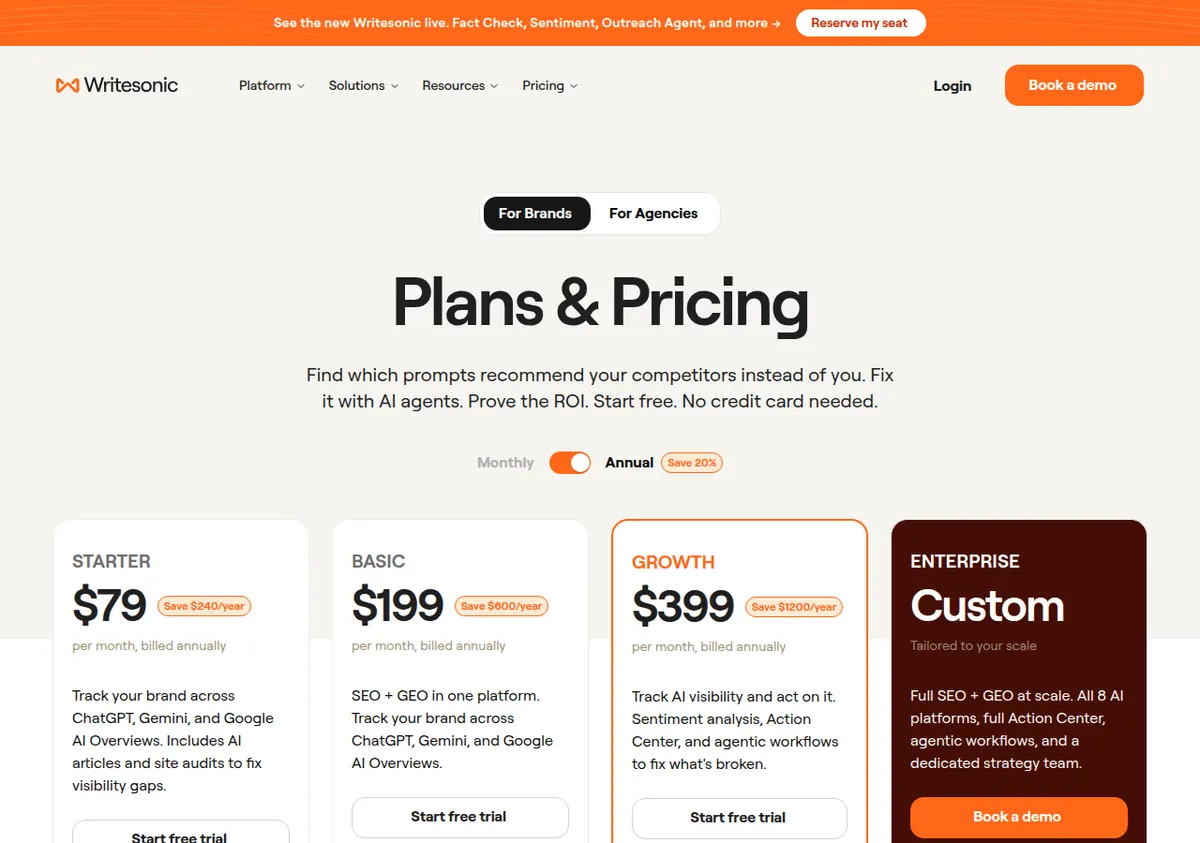
| Writesonic Starter | $79/mo annual ($99 monthly) | Free trial, no card; no permanent free tier | 15 AI articles/mo; 1 user, 1 project, 1 brand voice |
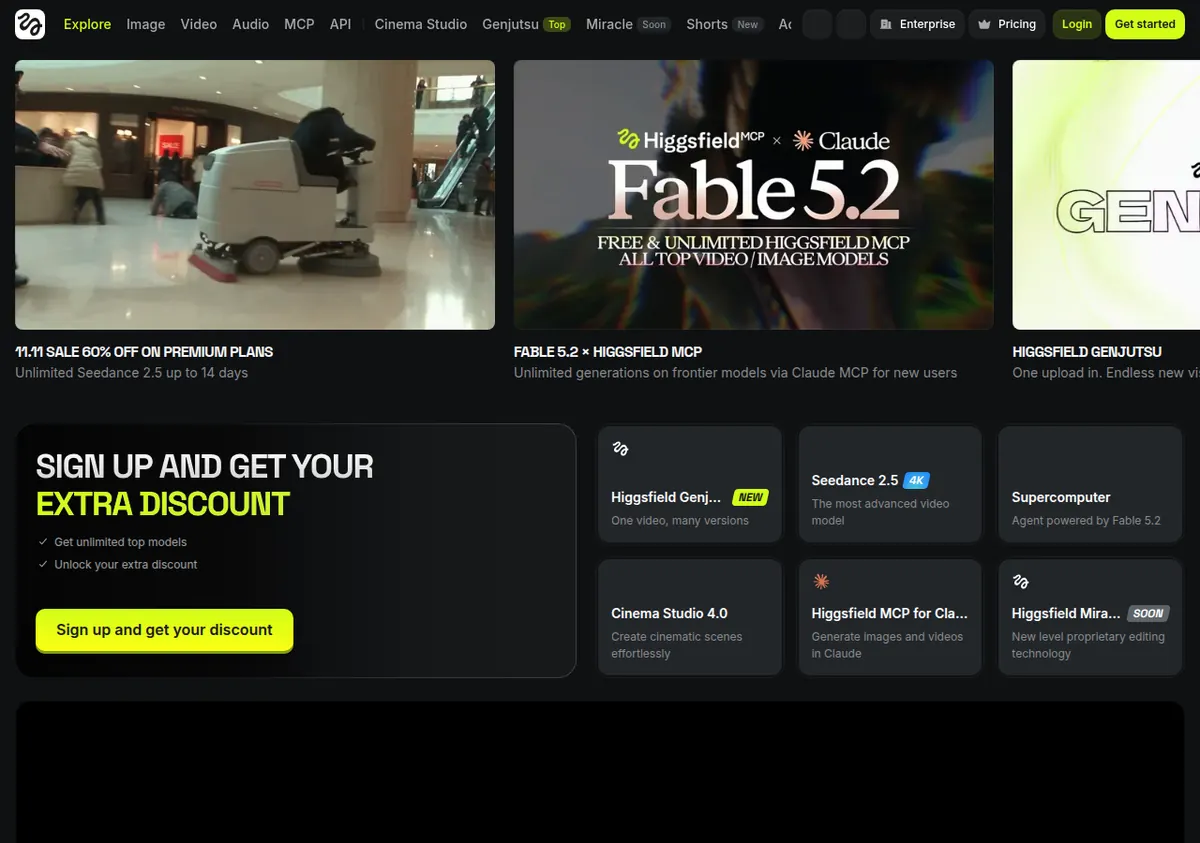
| Higgsfield Starter | $19/mo (no annual discount) | Free tier exists but has 0 credits — unusable for video | 270 credits/mo; selected models only; Kling 3.0 at 720p only |
| Higgsfield Plus | $47/mo annual ($59 monthly) | Same trial terms as the platform | 1,200 credits/mo; all models incl. Seedance 2.5 at 1080p and Veo 3.1 |
Who should use this workflow: a small brand or creator with a blog post that already performs and a product to sell, who wants five social ads without hiring a video editor. Who should skip it: anyone whose blog post is thin or generic — five ads from a weak post are five weak ads — and anyone on Higgsfield’s free tier, which has 0 credits and cannot generate video at all. If you have not chosen a video tool yet, read our Higgsfield vs. Runway vs. Kling comparison and our Higgsfield pricing and credit-burn breakdown first; if you need the scripts side of the workflow explained in depth, see Writesonic free plan limits for what the trial and Starter actually include.
Before you start: pick the right blog post
Not every blog post becomes good ads. The post you choose should pass three tests:
- It has a clear, specific claim. “This standing desk fits rooms under 100 square feet” becomes an ad. “Standing desks are good for you” does not — there is nothing to show in 10 seconds.
- It already has evidence. A post with a real number, a comparison table, or a test result gives each ad something concrete to say. A post built on generalities will produce five ads that all say the same vague thing.
- It is about a product or a decision, not a topic. A buyer’s guide, a comparison, or a how-to with a product in it repurposes well. A thought-leadership essay does not.
If your best post fails any of these tests, do not force it. Write or pick a different post first — our SEO blog workflow with Semrush and Grammarly produces exactly the kind of structured, evidence-led post this workflow needs. The ads are only as good as the post they come from, and no video model fixes a weak script.
Step 1 — Mine the post for five ad angles (Writesonic, 30 minutes)
Read the post once and mark the five strongest moments. A good set of five ads covers five different jobs, not five versions of the same claim:
- Ad 1 — The hook. The post’s most surprising fact or number, stated in the first two seconds. This is the scroll-stopper.
- Ad 2 — The problem. The pain point the post opens with, dramatized. The reader should recognize their own situation.
- Ad 3 — The proof. The post’s strongest evidence: a measurement, a comparison result, a test outcome.
- Ad 4 — The objection. The doubt the post answers — price, fit, “is it worth it” — handled head-on.
- Ad 5 — The offer. What to do next, with the single clearest call to action in the post.
If the post does not contain all five, that is useful information: it tells you what the post is missing, and you can write the missing angle from your own knowledge rather than inventing it. Do not let the tool invent evidence. If the post has no measurement, the proof ad should use a real one you supply — not one the model makes up.
Step 2 — Generate the five scripts (Writesonic, 30 minutes)
Feed Writesonic the blog post and ask for five scripts, one per angle, each built for a 10-second video: a visual direction line, a voiceover or on-screen text line of no more than 25 words, and a call to action. Give it the constraints in the prompt: the product name and price, the one fact each ad must include, and the claims it must not make.
Two practical notes on cost. First, Writesonic’s Starter plan allows 15 AI articles a month, and whether five short ad scripts count against that article allowance is not stated on the official pricing page — check the official site before planning a month of ad production on Starter. If scripts do count as articles, five ads consume a third of the monthly allowance, and a second blog post in the same month takes you to 10 of 15. Second, Writesonic’s monthly allowances expire at month end with no rollover, so scripts you do not use do not bank for next month. Generate the scripts in the month you will produce the videos.
A script template that works for all five ads:
- Visual (one line): what is on screen — the product, the problem, the comparison.
- Text/voiceover (under 25 words): one sentence, one claim, no subordinate clauses. A 10-second ad holds about 25 spoken words at a natural pace; more than that and the voiceover rushes.
- Call to action (one line): one action, one destination. “Shop the Tempo — link in bio” is a call to action. “Visit our website to learn more about our range” is not.
Write the scripts, then read each one aloud with a timer. If it takes more than 10 seconds to read, cut words until it fits. This 60-second test saves more wasted video credits than any other step in the workflow.
Step 3 — Choose the video model and budget the credits (Higgsfield, 15 minutes)
This is the step that decides what the month costs. Higgsfield charges per generation in its own credits, and the cost of a 10-second clip varies sharply by model. All figures below come from Higgsfield’s own pricing guide and independent checks from late October to early November 2026, and they are Higgsfield credits — its own credit system, not Kling’s or Runway’s. Third-party figures are flagged as such. Higgsfield reprices often — older October 2026 sources show lower prices and fewer credits than the November figures used here — so check the official site before budgeting.
What a ~10-second clip costs on Higgsfield, by model:
| Model (720p unless stated) | Credits per ~10 s | 5 ads (5 × ~10 s) |
|---|---|---|
| Kling 3.0, 720p | ~14–15 | ~70–75 |
| Seedance 2.0 Fast, 720p | ~24 | ~120 |
| Kling 4.0 via Higgsfield, 1080p | ~32.5 | ~163 |
| Seedance 2.0, 720p | ~44 | ~220 |
| Seedance 2.5, 720p | ~70 | ~350 |
| Veo 3.1, 720p | ~73–100 (third-party range; ~40 credits per 4 s is the sourced figure) | ~365–500 |
Read the table as a budget, not a menu. The cheapest way to make five ads is Kling 3.0 at 720p, at roughly 70–75 credits for the set. The most expensive common choice, Veo 3.1, costs roughly 365–500 credits for the same five ads — five to seven times as much. The quality difference is real but it is not five-to-seven-times real, and for short social ads viewed on a phone, 720p is usually enough. Spend the expensive models on the one ad that carries the campaign — usually the hook ad — and use the cheaper models for the other four.
What each plan covers:
| Higgsfield plan | Credits/mo | 5 ads on Kling 3.0 720p (~75 credits) | 5 ads on Seedance 2.5 720p (~350 credits) | 5 ads on Veo 3.1 (~365–500 credits) |
|---|---|---|---|---|
| Starter ($19/mo, 270 credits) | 270 | Yes — 3 sets a month | No — one set exceeds the plan | No |
| Plus ($47/mo annual, 1,200 credits) | 1,200 | Yes — 16 sets a month | Yes — 3 sets a month | Yes — 2–3 sets a month |
| Ultra ($99/mo annual, 3,000 credits) | 3,000 | Yes — 40 sets a month | Yes — 8 sets a month | Yes — 6–8 sets a month |
The practical conclusion: Starter ($19/mo, 270 credits) can produce five ads, but only on the cheaper models — Kling 3.0 at 720p or Seedance 2.0 Fast. It cannot produce five Seedance 2.5 ads in a month, because one set costs ~350 credits against a 270-credit allowance. Starter also cannot reach the flagship models at all: no Seedance 2.5, no Veo 3.1, and Kling 3.0 capped at 720p. Plus ($47/mo annual, 1,200 credits) is the realistic entry point for this workflow if you want model choice, and it covers three full sets of Seedance 2.5 ads a month — enough to repurpose three blog posts. Higgsfield’s own plan cards state the same scale in different units: 270 credits is about 15 Seedance 2.0 Fast videos, 1,200 is about 80 Seedance 2.5 videos, and 3,000 is about 200.
One warning that applies to every plan: credits expire. Unused subscription credits do not roll over; they reset every month, even on annual plans. If you buy Plus and produce one set of ads, the remaining ~850 credits vanish at month end. Plan your production in monthly batches — two or three blog posts converted in the same month — rather than spreading one post a month across a plan you are paying for anyway.
Step 4 — Generate the five ads (Higgsfield, 1–2 hours)
Work through the ads in order of importance, not in numerical order. Generate the hook ad first, while your attention is freshest, because it is the ad that decides whether anyone watches the rest. Then the proof ad, then the problem, the objection, and the offer.
For each ad:
- Paste the script’s visual direction as the generation prompt, plus the product facts. Keep the prompt short — a 10-second clip holds one idea, and a prompt with three ideas produces a clip that tries to do all three badly.
- Pick the model from the budget in Step 3. Hook ad on the best model you can afford; the other four on Kling 3.0 720p or Seedance 2.0 Fast unless a specific ad needs a flagship model’s quality.
- Generate, watch, and decide in one pass. Do not generate three variations of each ad and pick later — that triples the credit cost. Generate one, watch it, and either accept it or change one thing in the prompt and regenerate.
- Check the product. The model may render the product slightly wrong — a wrong color, a wrong logo, a mug with an extra handle. AI video is unreliable on product accuracy. If the product is wrong, the ad is unusable no matter how good the motion is.
A note on editing: Higgsfield’s Katana is a Claude video-editing skill that works with your Higgsfield credit balance. Its per-clip credit cost could not be verified from any source found on 13 November 2026 — do not budget for it from any figure in this article. If you plan to edit the five ads in Katana, check the official site for its current credit cost before starting, and do the edit in the same month as the generation so the credits come from one allowance.
Step 5 — Publish as a set, not as five singles
Five ads published one a day for five days outperform five ads published at once, and they outperform a single ad run five times. The reason is simple: each ad reaches a different slice of the audience, and the platform’s algorithm treats each as a fresh piece of content. Schedule them in this order:
- Day 1 — the hook. The strongest claim first, when the audience is coldest.
- Day 2 — the problem. For the people who recognized the problem but did not click.
- Day 3 — the proof. For the people who need evidence before they believe the hook.
- Day 4 — the objection. For the people who are interested but have one doubt.
- Day 5 — the offer. For the people who have seen two or three of the ads and are ready to act.
Link every ad back to the same blog post, not to five different pages. The blog post is the destination that closes the sale — it has the full comparison, the full evidence, and the full call to action. The ads are the top of the funnel; the post is the bottom.
After the set has run, compare the five ads on the same metric — the click-through rate to the blog post, not views or likes. The ad with the highest click-through rate tells you which angle to lead with next time, and which angle to build the next blog post around. One set of five ads is an experiment; three sets is a strategy.
A worked example: one post, five ads, one budget
Take a real example: a 2,000-word blog post comparing three standing desks for small rooms. The post’s strongest moments are a footprint measurement (the winning desk is 36 × 24 inches), a price comparison ($549 vs. $369), a height-range finding (22.8 inches minimum matters for shorter users), and a direct answer to “is it worth $549?”
The five ads:
| Ad | Angle | Script (voiceover) | Model | Cost |
|---|---|---|---|---|
| 1 | Hook | “The best standing desk for a small room is 36 inches wide. Here is why the size matters more than the price.” | Seedance 2.5, 720p | ~70 credits |
| 2 | Problem | “Your desk eats the whole room. It does not have to.” | Kling 3.0, 720p | ~15 credits |
| 3 | Proof | “We measured five desks. Only one fits a 36-inch wall and drops to 22.8 inches.” | Kling 3.0, 720p | ~15 credits |
| 4 | Objection | “$549 sounds like a lot — until you replace the desk twice.” | Seedance 2.0 Fast, 720p | ~24 credits |
| 5 | Offer | “The full comparison is on the blog. Link in bio.” | Kling 3.0, 720p | ~15 credits |
| Total | ~139 credits |
One set of five ads costs about 139 credits with this mix — comfortably inside Starter’s 270 credits, with room for one regeneration, and a small fraction of Plus’s 1,200. If all five were generated on Seedance 2.5, the same set would cost ~350 credits and would exceed Starter entirely. The model mix is the budget. The same set on Veo 3.1 throughout would cost roughly 365–500 credits (third-party range) and would need Plus at minimum.
On the Writesonic side, the five scripts are the cost to watch: whether they count against the 15-article monthly allowance is not stated on the official pricing page, so confirm before assuming you can convert two blog posts a month on Starter. If they do count, two posts (10 scripts) plus a regular article leaves you at 11 of 15 — workable, but tight.
Limitations / Who Should NOT Buy
- Do not start this workflow on Higgsfield’s free tier. It has 0 credits, a watermark on every generation, no commercial use, and image models only — no video at all. The free tier is a preview of the interface, not a way to make ads. The cheapest plan that makes video is Starter at $19/mo.
- Do not generate all five ads on the flagship model. Five Veo 3.1 or Seedance 2.5 ads cost 365–500 credits, and the quality gain over Kling 3.0 at 720p does not justify it for four of the five ads. Use the expensive model for the hook ad only. If you cannot resist using the best model everywhere, buy Plus and accept the cost — but do not pretend Starter covers it.
- Do not trust any single credit figure in this article as permanent. Higgsfield repriced between October and November 2026 (Starter was $15/mo and 200 credits in older sources, $19/mo and 270 credits in November sources), and the per-model credit rates come from the pricing guide and independent checks, not from a single official page — the official pricing page rendered almost empty when checked on 13 November 2026. Check the official site and the Generate-button cost shown in the tool before every production batch.
- Do not budget Katana editing from this article. Katana’s per-clip credit cost could not be verified from any source found on 13 November 2026, and the earlier figure of ~154 credits for a ~12.7-second clip is unverified — do not use it. Check the official site for Katana’s current cost before editing in it.
- Do not repurpose a weak post. If the blog post has no specific claim, no number, and no evidence, five ads will expose that, not hide it. Fix the post first — or pick a better one. See our SEO blog workflow for how to build a post worth repurposing.
- Do not forget the credit expiry. Higgsfield credits reset monthly with no rollover, and Writesonic’s monthly allowances expire too. A plan bought on the 1st and used on the 28th is the same plan as one used on the 2nd — but a plan bought and barely used is money spent on nothing. Batch your production monthly.
- Do not publish AI video with an unchecked product render. Video models distort products: wrong proportions, wrong text on packaging, extra handles on mugs. Every ad needs a human watching the full 10 seconds and checking the product before it goes live. An ad with a wrong product is worse than no ad — it teaches the audience not to trust the next one.
- Do not expect the trial to cover production. Writesonic’s trial has no credit card and gives full access per the official FAQ, but its duration and article allowance are not published on the pricing page. Treat the trial as an evaluation window for the scripts, and budget the paid Starter plan ($79/mo annual) for real production months.
- Runway and Kling are not covered here — and their credit systems are different. If you compare video tools before committing, read Higgsfield vs. Runway vs. Kling: Runway’s Gen-4.5 costs 12 credits a second on its own system (a 10-second clip is ~120 Runway credits), and Kling 4.0 costs 10 credits a second at 720p and 15 at 1080p on Kling’s own subscription credits (third-party in-app check, not an official published rate). Do not mix credit systems when budgeting — a Higgsfield credit, a Runway credit, and a Kling credit are three different currencies.
Sources
- Higgsfield pricing guide (geo.higgsfield.ai/higgsfield-ai-pricing-guide, checked 6 Nov 2026): $19/270, $59/1,200, $129/3,000 credits; per-model credit rates; plan-card video equivalents.
- Independent Higgsfield checks: ProfessionalsToolkit (9 Nov 2026), Blotato (30 Oct 2026), Aliteq (9 Nov 2026) on plan prices and per-model credit costs; older conflicting figures from SaaS CRM Review (27 Oct 2026 — $15/200 credits).
- Writesonic pricing page (writesonic.com/pricing): Starter $99/mo / $79/mo annual, 15 AI articles/mo, no permanent free tier, free trial with no credit card, allowances expire monthly.
- Runway pricing page (runwayml.com/pricing) for the Runway comparison: Gen-4.5 12 credits/sec; Standard $15/mo, Pro $35/mo, Max $95/mo.
- Kling 4.0 per-second costs (third-party in-app checks, Quantslant 15 Oct 2026; useapi.net 5 Nov 2026): 10 credits/sec at 720p, 15/sec at 1080p — not an official published rate.
Prices and credit costs checked 13 November 2026. Higgsfield reprices frequently and its official pricing page did not render on that date — verify all figures on the official site before you buy or budget a production batch. Katana’s per-clip credit cost is unverified.